Accessible Navigation:
Creating A Tactile Map for the Visually Impaired

I invite you to think about the last time you used a physical map. Maybe it was at a theme park, maybe it was on a hike, maybe you were trying to navigate in a place without cell service. Now, imagine yourself in the same scenario, but with full or partial vision loss. The task becomes a lot harder, doesn’t it? This poses the question:
In this project, I explore the answer to that question by creating a tactile map of Brown University’s Main Green, intended to allow visually impaired visitors to experience the campus in ways similar to sighted people.
How might we create navigational maps or models that cater to the visually impaired?
Custom Braille
Traditional maps have labels, directions, and legends all in writing. In order to recreate these crucial elements for the visually impaired, I needed to make sure any written elements of my model were represented in braille. Using the braille size and spacing standards set by the Braille Authority of North America, I created two prototypes of homemade braille and and got in touch with Blind@Brown to test my prototypes with members of the blind community. Members of the group found my 3D-printed braille easier to read than my braille made out of beads, so I moved forward, creating braille labels in Solidworks for each building on the main green.


Textures by Touch


Building Models
I created scaled down versions of each of the buildings on the main green in Solidworks. The models are sized at about a 1/300 scale, so that each foot of a building in the real world translates to a millimeter on the map. The roof of each building has been flattened to allow for braille labels to be placed on the top. Sizing and positioning buildings at a constant scale allows visually impaired users to experience and create a mental model of the main green without ever actually seeing it.
As seen below, the map utilizes easily differentiated textures such as salt granules, buttons, and crumpled tinfoil, to allow users to recognize different markers by touch only. Each type of marker is listed on the map legend in both braille as well as English, ensuring that the map can be enjoyed by both seeing and visually-impaired people alike.
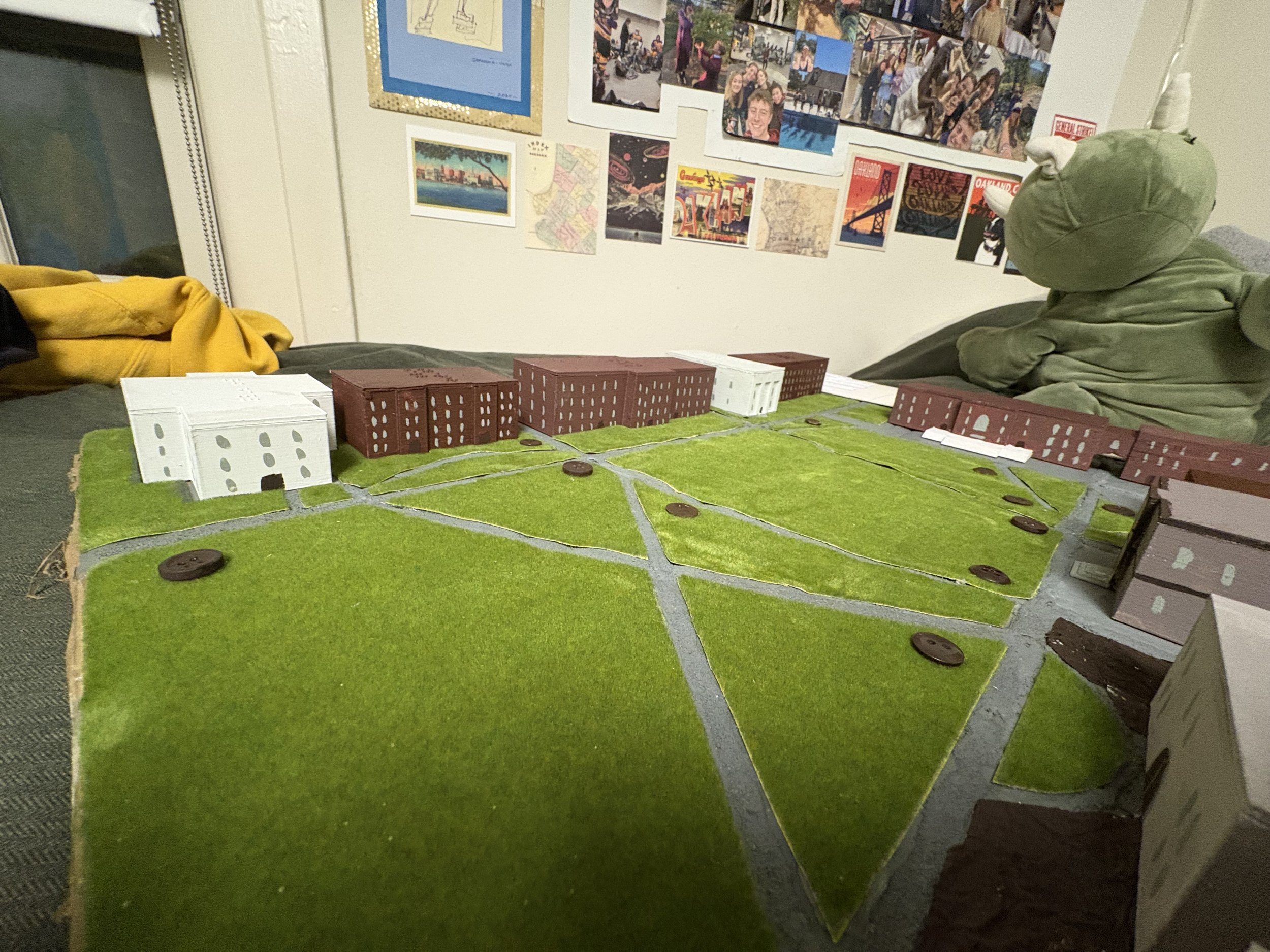
Pictured Above: Brown University’s Main Green sits peacefully, unaware of the large dinosaur that looms over.